













- Ana Sayfa
- Blogs
- Basic knowledge
- Intel Xeon for Gaming: A Comprehensive Guide and Performance Analysis
Intel Xeon for Gaming: A Comprehensive Guide and Performance Analysis
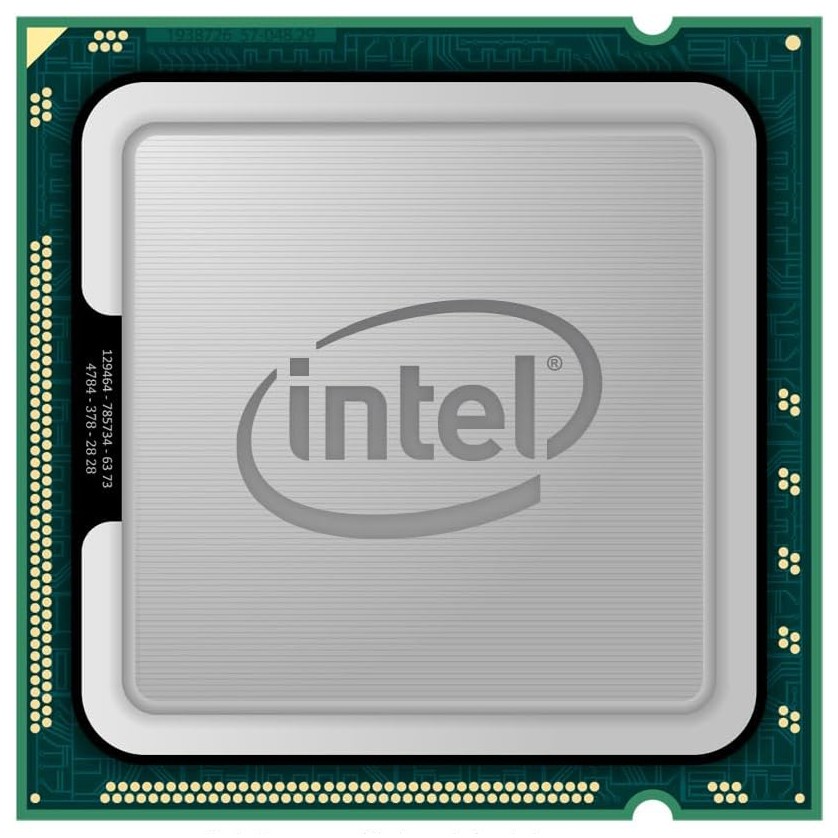
Intel Xeon processors are primarily designed for server and workstation environments, excelling in tasks such as data centers, high-performance computing, and enterprise-level applications. These CPUs offer robust multi-threading capabilities, superior memory management, and enhanced data integrity features.
Key takeaway: While Intel Xeon processors are not optimized for gaming, they can still be used for gaming purposes with certain considerations in mind. In this comprehensive guide, we will explore the gaming performance of Intel Xeon CPUs and provide you with the information you need to make an informed decision.
Many people mistakenly believe that Intel Xeon processors are suitable for all types of computing tasks because of their high performance in professional situations. However, there are a few reasons why they may not be ideal for gaming:
Lower single-threaded speed: Unlike consumer-focused CPUs like Intel Core i7 or AMD Ryzen processors, Xeon CPUs tend to have lower clock speeds on individual cores. This can impact gaming performance since many games rely heavily on single-threaded performance.
Potential bottlenecks with high-end GPUs: Gaming often requires powerful graphics processing units (GPUs) to render high-resolution images and complex visual effects. In some cases, pairing a high-end GPU with a Xeon processor may result in a bottleneck, where the GPU is not fully utilized due to limitations in CPU performance.
In this guide, we will delve deeper into these factors and explore how they affect the gaming experience on Intel Xeon processors.
Understanding Intel Xeon Processors
Key Features and Specifications
Intel Xeon processors are known for their robust architecture and high reliability, primarily designed for server and workstation environments. These CPUs often feature:
Multiple cores and threads: Designed to handle heavy multi-threaded workloads.
ECC (Error-Correcting Code) memory support: Ensures data integrity by detecting and correcting common types of data corruption.
High cache sizes: Allows for quicker access to frequently used data.
Multi-Threaded Performance Capabilities
Comparing Intel Xeon CPUs to consumer-oriented processors like the Intel Core i9, you’ll notice significant differences in multi-threaded performance:
Intel Xeon: Optimized for multi-threaded applications, capable of handling numerous simultaneous processes efficiently.
Intel Core i9: While also powerful, its architecture is more balanced toward single-threaded performance, which is crucial for most gaming scenarios.
Impact on Gaming Experience
The robust memory management and data integrity features of Intel Xeon CPUs contribute significantly to their overall performance. However, these features come with trade-offs that might affect gaming:
Data Integrity: ECC memory ensures stability but might introduce slight latency, potentially impacting real-time gaming performance.
Memory Management: Advanced memory management systems are beneficial for large-scale computations but may not provide noticeable improvements in gaming environments.
Understanding these aspects helps in evaluating the suitability of Intel Xeon processors for your specific needs.
Gaming Performance Considerations with Intel Xeon Processors
1. Single-Threaded Speed
Single-threaded speed refers to the performance of a CPU when executing a single sequence of instructions at a time. Many games, especially older ones or those not optimized for multi-threading, rely heavily on single-threaded performance. This means that the ability of a processor to handle tasks sequentially can significantly impact gaming experience.
When evaluating Intel Xeon processors in terms of single-threaded speed, it's essential to compare them against consumer-oriented CPUs like the Intel Core i9 series. The Core i9 processors are specifically designed with high clock speeds and efficient single-thread performance in mind, which is optimal for gaming scenarios.
Key Points:
Clock Speed: Intel Xeon processors generally have lower base and boost clock speeds compared to their consumer counterparts. For instance, while an Intel Core i9 processor might boost up to 5 GHz or higher, many Xeon models hover around 3.5 to 4 GHz.
Architecture Differences: The architecture of Xeon CPUs is often optimized for workloads that benefit from multiple cores and threads, such as server tasks and content creation. This focus can lead to compromises in single-threaded performance.
Cache Size: While Xeon processors boast larger caches, which can be beneficial for certain tasks, it does not always translate into better gaming performance.
In practice, this lower clock speed and different architectural priorities mean that when running games not well-optimized for multi-threading, an Intel Xeon processor may lag behind a high-end consumer CPU. For example, titles like "The Witcher 3" or "Grand Theft Auto V," which rely significantly on single-core performance, tend to run better on processors with higher clock speeds and better single-thread optimization.
However, it's worth noting that not all games are created equal. Some modern titles like "Cyberpunk 2077" or "Assassin's Creed Valhalla" take advantage of multiple cores and threads more effectively, potentially narrowing the gap between Xeon and consumer CPUs. Still, even in these scenarios, a high-clock-speed consumer CPU will usually offer superior frame rates and smoother gameplay.
For gamers considering an Intel Xeon CPU, it's crucial to weigh these factors carefully. While Xeons excel in multi-threaded workloads and professional applications:
Single-threaded limitations can lead to suboptimal gaming experiences.
A balance must be struck between your professional needs and your gaming desires.
Comparing specific models side by side before making a decision will help ensure you choose a setup that meets your unique requirements.
2. GPU Bottlenecks
When it comes to gaming with powerful GPUs like the NVIDIA RTX 3080 or AMD Radeon RX 6800 XT, there's a potential issue that can arise when pairing them with Intel Xeon processors: GPU bottlenecks.
Why Intel Xeon CPUs Can Cause GPU Bottlenecks in Gaming
Many games heavily rely on the CPU's single-threaded performance, which refers to how quickly it can handle individual tasks. Unfortunately, Intel Xeon processors are not optimized for this type of performance. Unlike consumer-oriented CPUs like the Intel Core i9 series, which are designed specifically for gaming and other tasks that benefit from high-speed single-thread performance, Xeon processors prioritize stability and multi-threaded workloads typically found in server environments.
The Impact of CPU Limitations on Gaming Performance
The consequence of this difference in design is that when using an Intel Xeon CPU, you may experience limitations in your gaming performance due to the CPU not being able to keep up with the processing power of your high-end GPU. This can result in underutilization of the GPU, meaning it's not being fully utilized and you're not getting the maximum performance out of it.
How Consumer-Oriented CPUs Compare
On the other hand, consumer-oriented CPUs like the Intel Core i9 series have higher clock speeds (which means they can perform tasks more quickly) and are optimized for gaming and single-threaded tasks. As a result, they tend to have better compatibility with high-end GPUs, allowing you to fully leverage their power for maximum gaming performance.
Comparison of GPU Bottlenecking Issues:
To summarize the differences between Intel Xeon CPUs and consumer-oriented CPUs (e.g., Intel Core i9) when it comes to potential GPU bottlenecks:
Intel Xeon CPUs:
Designed for stability and multi-threaded tasks.
Lower clock speeds compared to consumer CPUs.
Potential underutilization of high-end GPUs.
Consumer-Oriented CPUs (e.g., Intel Core i9):
Higher clock speeds.
Optimized for gaming and single-threaded tasks.
Better compatibility with high-end GPUs to maximize gaming performance.
Understanding these differences can help you make an informed decision about whether an Intel Xeon processor is suitable for your gaming setup.
Overclocking as a Solution for Improved Gaming Performance on Intel Xeon
Overclocking involves pushing a CPU to run at higher speeds than its base clock rate. This can potentially mitigate some of the gaming limitations of Intel Xeon processors when done correctly. By increasing the clock speed, you can enhance the single-threaded performance, which is crucial for games that are not well-optimized for multi-threading.
To overclock an Intel Xeon CPU, consider the following:
Cooling Requirements
Overclocking generates extra heat. Effective cooling solutions like high-end air coolers or liquid cooling systems are essential to maintain stability and prevent thermal throttling.
Stability Concerns
Stability becomes a primary concern when overclocking. Ensure your motherboard's BIOS supports overclocking and that you have reliable power delivery components.
Voltage Adjustments
Overclocking might necessitate adjusting the CPU voltage. However, improper voltage settings can lead to system instability or hardware damage.
While overclocking can improve gaming performance on Intel Xeon processors, it requires careful tuning and monitoring. Improper overclocking could result in reduced longevity or even permanent damage to your CPU.
Conclusion
While Intel Xeon processors are not specifically designed for gaming, they can still be used for this purpose with some considerations. These processors are known for their strength in tasks such as content creation and server workloads, thanks to their powerful architecture and ability to handle multiple threads simultaneously. However, when it comes to single-threaded performance, they may fall behind consumer CPUs, which can impact gaming performance.
Recommendation:
Based on your priorities and needs, here are our recommendations:
If gaming is your primary focus and you want the best possible performance, we suggest choosing a high-performance consumer CPU like the Intel Core i9 series.
For professionals who require the specialized features and capabilities of Intel Xeon processors for tasks like video editing or running virtual machines, it is still possible to have a satisfactory gaming experience with proper optimization and hardware selection.
This comprehensive guide and performance analysis should help you make an informed decision about using Intel Xeon CPUs for gaming purposes.
FAQs
Articles you may also like
CR2025 Battery: Equivalent, Specifications and Replacements
Understanding Toggle Switches: A Comprehensive Guide

CR1632 vs CR2032: Are CR1632 and CR2032 battery equivalent?

CR1616 Battery Equivalent: Best Replacement Guide